
Cline to generate or refactor code. However, when you’re waiting for one instance to finish applying changes or suggestions, your hands — and your brain — are stuck idle.
The solution? Run multiple instances in parallel.
By using Git worktree, you can create multiple working directories from the same Git repository, each tied to a different branch. This allows you to open several Cursor instances at once, so while one is running a refactor or generating code, you’re free to work in another.
In this post, you’ll learn how to set up multiple Git worktrees to enable this kind of parallel, multitasking workflow.
What Is Git Worktree?
Git Worktree is a built-in Git feature that lets you check out multiple branches in separate directories — without duplicating the repository. All worktrees share the same .git data, meaning they stay lightweight and connected. Each one operates as a fully functional project directory, so you can work on different branches side by side, independently.
Quick Setup Guide
Let’s say you’re working in a repo called multitasking-example:
1. Create new worktrees
git worktree add -b delete-task ../delete-task main
git worktree add -b mark-completed ../mark-completed main
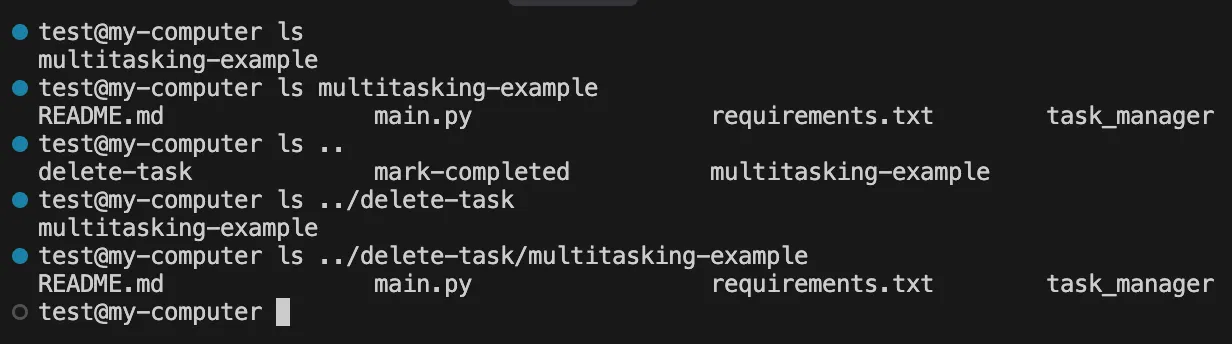
This creates new branches with new worktrees on the directories ../delete-task and ../mark-completed:

With the same contents:
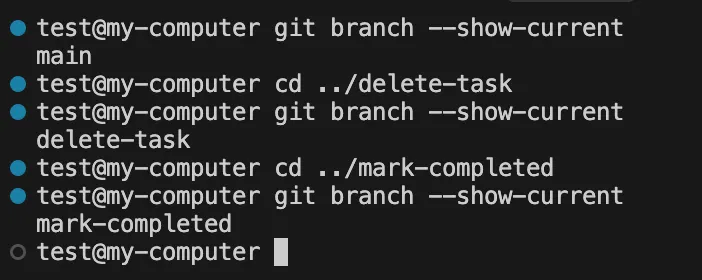
Each directory has its own worktree in a specific branch:
2. Open them in Cursor
cursor ../delete-task
cursor ../mark-completed
That’s it! You have two different instances of Cursor running in different branches in the same project:
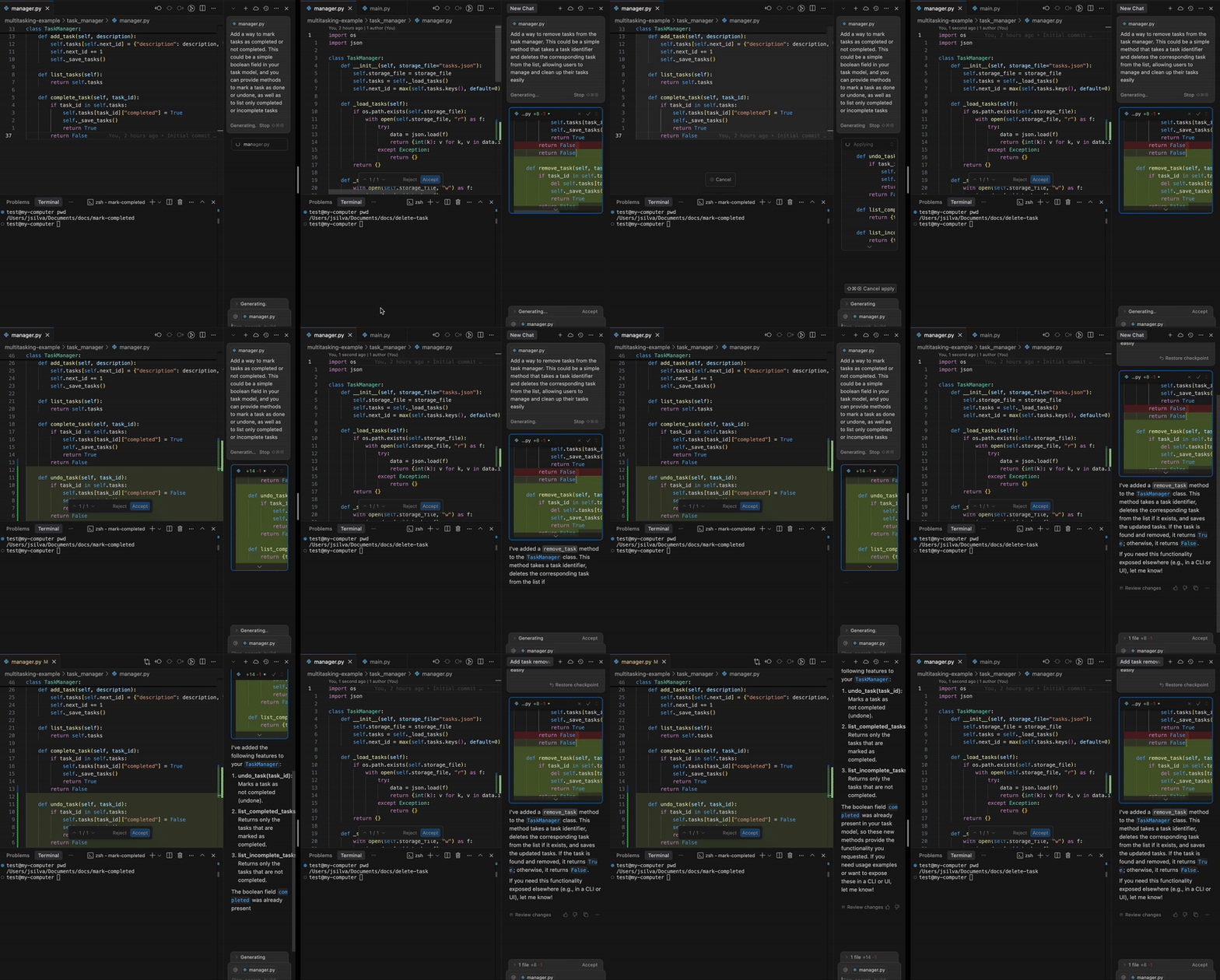
Cursor running on the same project in parallel
Recorded side by side to show it working in parallel.
Conclusion
Using Git worktree with tools like Cursor unlocks a powerful multitasking workflow. By setting up parallel working directories, you can keep your momentum going — switching between branches and tasks without waiting around. It’s a small setup change that delivers a big productivity boost.
Additional Notes
If your project uses tools like npm, don’t forget that each new worktree is its own working directory. That means you’ll need to run npm install (or equivalent setup commands) in each one to get your local dev environment up and running.