
In this article I will explain how we can build a new ruby gem, using as an example the one I created for Slack authentication.
The Problem
At Runtime, I needed to create a Ruby on Rails app with Slack authentication but I encountered a problem: there was no updated gem out there. Most of them are very old and haven’t received updates in years. Since I don’t want to start a project with legacy code, I decided to create a small gem that allows to authenticate with Slack using the new OpenID API.
Development
Creating a gem
To create a simple gem project we’ll be using the following commands
gem install bundler
bundle gem <your_gem_name>
The next step is to open the project and setup your gem’s basic specifications on the <your_gem_name>.gemspec file. My gem configuration looks like this:
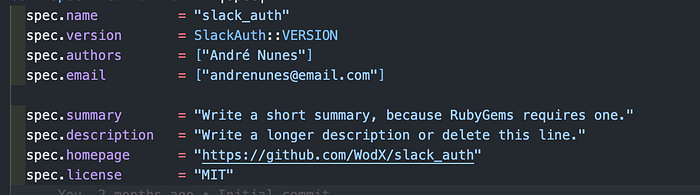
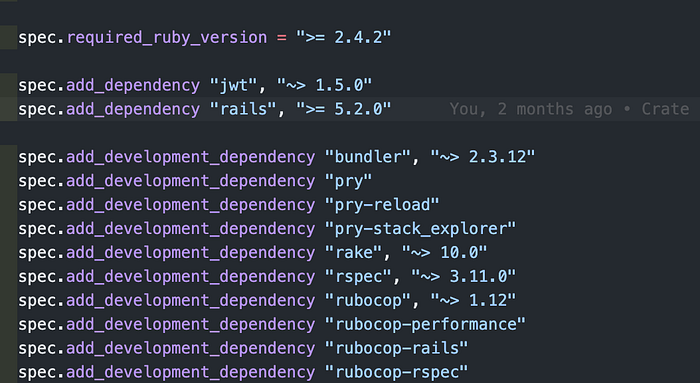
At the bottom of the gemspec is where you add all the dependencies that you need. For my gem, I settled on the following dependencies:
The code for your gem will be placed on the lib folder under the name <your_gem_name>.rb.
Making the gem configurable
Since the gem I am creating is for Slack authentication, we should let the developer configure some confidential values such as CLIENT_ID and CLIENT_SECRET.
For that let’s create a file configuration.rb in the <your_gem_name> folder.
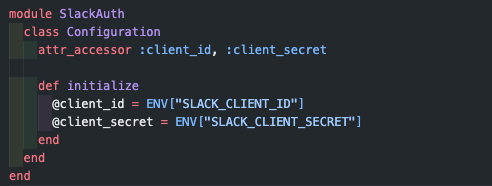
This file will contain some readers and writers for your attributes. You can notice we are also defining a default value for them so if the developer doesn’t want to use the configuration he can just define SLACK_CLIENT_ID and SLACK_CLIENT_SECRET as environment variables and everything will still work.
We can import this configuration class to <your_gem_name>.rb file like this:
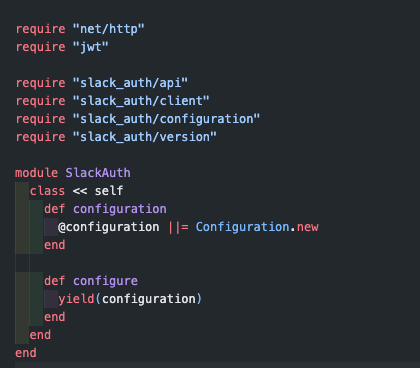
Now we have a configurable ruby gem and we can set everything in our Rails application using the environment variables like detailed above or we can create a initializer named <your_gem_name>.rb and configure it:
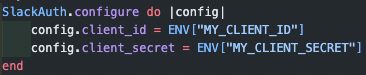
Notice that we keep using the environment variables to set the client_id and client_secret. This is sensible data so it’s a good practice to keep it hidden by not committing it.
Keeping the logic inside your gem
It is important to keep the gem’s logic inside the gem code. For my gem, I followed the description in the official Slack Documentation and I’ll abstract everything on the gem so we don’t have to deal with that every time we have a project with Slack authentication.
So, first of all, let’s create a file api.rb on <your_gem_name> folder.
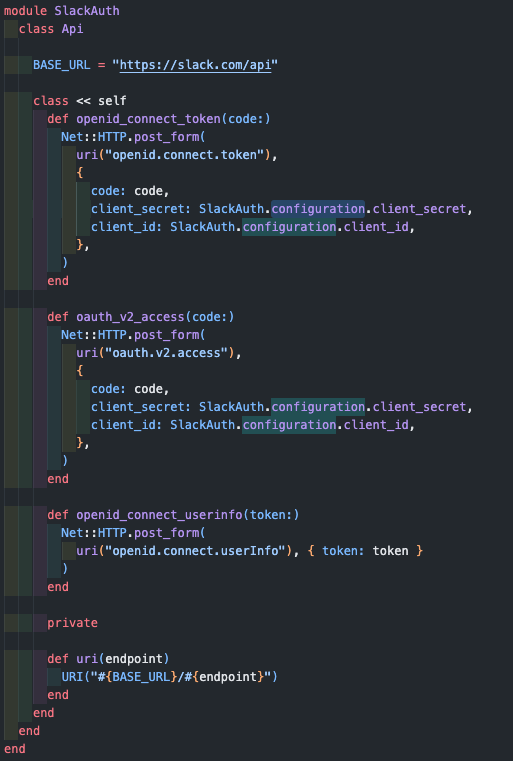
This way we can abstract everything in this class and it will contain all the requests we need to get all the user information that we want.
Now we just need to create a new file in the <your_gem_name> folder called client.rb.
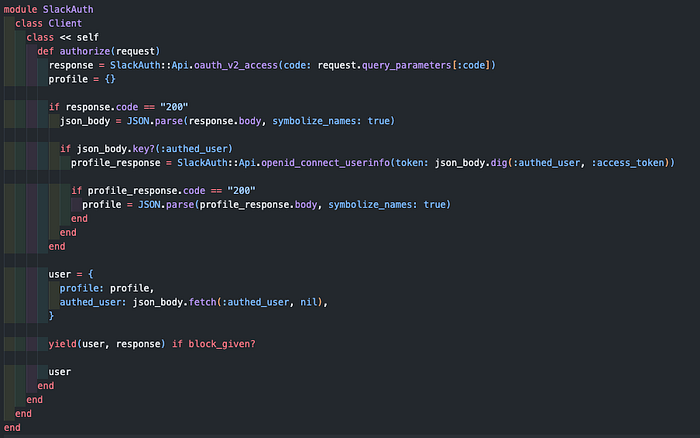
This class will handle the authentication and make all the requests needed for the sign in.
Installing and using the gem on your Rails Application
Just add your gem to the Gemfile.
gem <your_gem_name>, :git => 'https://github.com/<user>/<your_gem_name>'Now, in my case, I created a Slack button using Slack’s Button Generator and a controller to handle the redirect link. More information about that on the Slack Documentation.
On your redirect controller you can just call the authorize method to get the user info:
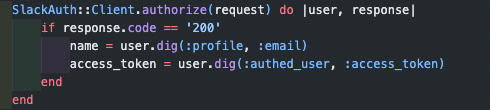
And that’s it! Now our application is able to login using Slack without knowing how any of that is done :).
If you want to see the full repository you can check it here.
Also check these articles: