

OpenAI’s suite of powerful AI models is transforming how we interact with information. Beyond simply generating text, these models now intelligently process and understand external data. A key aspect of this capability lies in how OpenAI manages file storage, generates insightful summaries, and creates meaningful embeddings from the documents you upload.
This article explores the mechanisms OpenAI employs to handle your files, enabling advanced functionalities like enhanced chatbot interactions, efficient information retrieval, and powerful semantic search.
Storing Your Data with OpenAI: The Foundation of Knowledge
OpenAI provides robust mechanisms for storing files, primarily through its Assistants API and File Uploads features. When you upload files to OpenAI, they aren’t just passively stored; they become part of a knowledge base that your AI assistants can leverage.
Here’s a breakdown of how file storage works:
- File Uploads: You can directly upload various file types, including common text formats (PDFs, Word documents, CSVs), presentations, and even code files. These uploads can be associated with specific Assistants or used in direct chat conversations within platforms like ChatGPT.
# app/services/file_attachment_service.rb
class FileAttachmentService
  def initialize(record:, attachment_name:)
    @record = record
    @attachment_name = attachment_name
  end

  def call(file_param)
    return false unless file_param.present?

    # Get the Active Storage association (e.g., user.avatar)
    # The `attach` method handles nil files gracefully, but we check for present? anyway.
    if @record.public_send(@attachment_name).attach(file_param)
      # Check if the record itself is still valid *after* attachment and its validations
      # Active Storage attachments trigger model validations (e.g., content_type, size)
      if @record.valid?
        true # Successfully attached and record is valid
      else
        # Attachment might have succeeded, but model validations failed (e.g., wrong file type)
        # Errors are now on @record.errors
        false
      end
    else
      # This path is less common for `attach` itself to return false,
      # but could indicate an underlying issue with Active Storage.
      @record.errors.add(@attachment_name, "could not be attached due to an internal error.")
      false
    end
  rescue => e
    # Catch any unexpected errors during attachment
    Rails.logger.error "FileAttachmentService error: #{e.message}"
    @record.errors.add(@attachment_name, "could not be attached. Please try again.")
    false
  end
end- Vector Stores: A core component of OpenAI’s file handling is the vector store. When you upload a file, OpenAI automatically processes it and generates embeddings. These embeddings, which are numerical representations of the file’s content, are then stored in a vector store. This specialized storage is optimized for efficient semantic search, allowing the AI to quickly find relevant information based on meaning rather than just keywords.
# app/services/vector_store_service.rb

class VectorStoreService
  # Initialize with an embedding client (e.g., OpenAI) and a vector DB client
  # This makes the service testable and flexible.
  def initialize(
    embedding_client: OpenAI::Client.new,
    vector_db_client: FakeVectorDBClient.new # Replace with your actual vector DB client
  )
    @embedding_client = embedding_client
    @vector_db_client = vector_db_client
    @embedding_model = 'text-embedding-ada-002' # Or 'text-embedding-3-small', etc.
    @index_name = Rails.env.production? ? 'your-prod-index' : 'your-dev-index'
  end

  # Generates an embedding for a given text
  def generate_embedding(text)
    response = @embedding_client.embeddings(
      parameters: {
        model: @embedding_model,
        input: text
      }
    )
    # Check for success and return the embedding vector
    if response['data'].present? && response['data'].first['embedding'].present?
      response['data'].first['embedding']
    else
      Rails.logger.error "Failed to generate embedding for text: '#{text}'. Response: #{response.inspect}"
      nil
    end
  rescue OpenAI::Error => e
    Rails.logger.error "OpenAI embedding error: #{e.message}"
    nil
  end

  # Adds or updates a document (text + its embedding) in the vector store
  # record_id: A unique identifier to link back to your ActiveRecord model (e.g., "User-123")
  # metadata: Optional hash for additional searchable/filterable data
  def upsert_document(text:, record_id:, metadata: {})
    embedding = generate_embedding(text)
    return false unless embedding.present?

    vector_data = {
      id: record_id,
      values: embedding,
      metadata: metadata.merge(text_content: text.truncate(500)) # Store original text or snippet
    }

    # Call the upsert method on your actual vector database client
    # This part will vary significantly based on your chosen vector DB.
    @vector_db_client.upsert(@index_name, [vector_data])
    Rails.logger.info "Upserted document with ID: #{record_id} to vector store index: #{@index_name}"
    true
  rescue StandardError => e
    Rails.logger.error "Error upserting document #{record_id} to vector store: #{e.message}"
    false
  end

  # Searches the vector store for documents semantically similar to the query
  def search(query_text:, top_k: 5)
    query_embedding = generate_embedding(query_text)
    return [] unless query_embedding.present?

    # Call the query method on your actual vector database client
    # This part will vary significantly based on your chosen vector DB.
    results = @vector_db_client.query(@index_name, query_embedding, top_k: top_k)

    # Return structured results, e.g., with ID and score
    results.map do |result|
      {
        record_id: result[:id],
        score: result[:score],
        metadata: result[:metadata] # Includes original text content if stored
      }
    end
  rescue StandardError => e
    Rails.logger.error "Error searching vector store: #{e.message}"
    []
  end

  # Deletes a document from the vector store
  def delete_document(record_id:)
    @vector_db_client.delete(@index_name, record_id)
    Rails.logger.info "Deleted document with ID: #{record_id} from vector store index: #{@index_name}"
    true
  rescue StandardError => e
    Rails.logger.error "Error deleting document #{record_id} from vector store: #{e.message}"
    false
  end
end- Persistent Storage: Files uploaded to custom GPTs or directly to the Assistants API are retained until you explicitly delete them. This persistence allows your AI models to maintain a long-term memory and knowledge base for ongoing interactions and tasks.
# app/services/aws_s3_storage_service.rb

require 'aws-sdk-s3' # Make sure the gem is required

class AwsS3StorageService
  def initialize
    # Load credentials from Rails credentials
    aws_config = Rails.application.credentials.aws

    unless aws_config&.access_key_id && aws_config&.secret_access_key && aws_config&.region && aws_config&.bucket_name
      raise "AWS S3 credentials (access_key_id, secret_access_key, region, bucket_name) are not configured in Rails credentials."
    end

    @s3_client = Aws::S3::Client.new(
      access_key_id: aws_config.access_key_id,
      secret_access_key: aws_config.secret_access_key,
      region: aws_config.region
    )
    @bucket_name = aws_config.bucket_name
    @region = aws_config.region
  rescue => e
    Rails.logger.error "Failed to initialize AwsS3StorageService: #{e.message}"
    raise # Re-raise to indicate a critical setup failure
  end

  # Uploads a file to S3.
  #
  # @param file_io [IO] An IO object (e.g., an uploaded file from params, or File.open).
  # @param key [String] The desired object key (path and filename) in the S3 bucket.
  # @param content_type [String, nil] Optional: The MIME type of the content.
  # @return [String, nil] The S3 object key on success, nil on failure.
  def upload(file_io:, key:, content_type: nil)
    begin
      @s3_client.put_object(
        bucket: @bucket_name,
        key: key,
        body: file_io,
        content_type: content_type # Important for correct serving
      )
      Rails.logger.info "Successfully uploaded #{key} to S3 bucket #{@bucket_name}"
      key
    rescue Aws::S3::Errors::ServiceError => e
      Rails.logger.error "Failed to upload #{key} to S3: #{e.message}"
      nil
    end
  end

  # Downloads a file from S3.
  #
  # @param key [String] The S3 object key.
  # @return [IO, nil] An IO object representing the file content, or nil if not found/error.
  def download(key:)
    begin
      response = @s3_client.get_object(
        bucket: @bucket_name,
        key: key
      )
      Rails.logger.info "Successfully downloaded #{key} from S3."
      # The `body` is an Aws::S3::Types::GetObjectOutput object which behaves like an IO stream
      response.body
    rescue Aws::S3::Errors::NoSuchKey
      Rails.logger.warn "File not found on S3: #{key}"
      nil
    rescue Aws::S3::Errors::ServiceError => e
      Rails.logger.error "Failed to download #{key} from S3: #{e.message}"
      nil
    end
  end

  # Deletes a file from S3.
  #
  # @param key [String] The S3 object key.
  # @return [Boolean] true on success, false on failure.
  def delete(key:)
    begin
      @s3_client.delete_object(
        bucket: @bucket_name,
        key: key
      )
      Rails.logger.info "Successfully deleted #{key} from S3."
      true
    rescue Aws::S3::Errors::ServiceError => e
      Rails.logger.error "Failed to delete #{key} from S3: #{e.message}"
      false
end- Usage Caps and Limits: While powerful, there are practical limits. OpenAI has usage caps on file size (e.g., 512MB per file, 2M tokens per text/document file) and overall storage limits per user and organization. These limits are in place to manage resources and encourage efficient use.
Summarization: Condensing Information for Quick Insights
One of the most valuable applications of OpenAI’s capabilities with uploaded files is summarization. Large documents, research papers, or lengthy reports can be instantly condensed into concise, easy-to-digest summaries.
Here’s how OpenAI facilitates summarization:
- AI-Powered Summarization Models: OpenAI’s language models, such as GPT-3.5 Turbo and GPT-4o, are highly adept at understanding context and extracting the most important information from text.
- Automatic Processing: When you instruct an Assistant or a ChatGPT conversation to summarize an uploaded document, OpenAI automatically processes the content. For very large documents, the system often employs chunking, breaking the text into smaller, manageable pieces to overcome token limits.
- Abstractive and Extractive Summarization: OpenAI models can perform both:
- Extractive summarization: Identifies and pulls out key sentences or phrases directly from the original text.
- Abstractive summarization: Generates new sentences that capture the main ideas of the document, even if those exact phrases weren’t in the original. This allows for more fluent and human-like summaries.
- API Integration: Developers can integrate OpenAI’s summarization capabilities into their applications via the API, allowing for automated summarization workflows for various business needs, from document analysis to content creation.
OpenAI’s models (like GPT-3.5 and GPT-4) are excellent at summarization. You don’t “store” the summary in a specific OpenAI file storage, rather, you send text to the API, and it returns a summarized version. For very long documents, the common approach is to chunk the document and summarize each chunk, then potentially summarize those summaries recursively.
How it works:
- Input Text: You provide the text you want to summarize as part of your prompt to a chat completion model.
- Model Processing: The language model analyzes the input text and generates a concise summary based on your instructions.
- Output: The API returns the summarized text.
require 'openai'

client = OpenAI::Client.new(access_token: ENV.fetch("OPENAI_API_KEY"))

long_text = "This is a very long piece of text that describes the history of artificial intelligence, from its early theoretical foundations in the mid-20th century to the recent advancements in deep learning and large language models. It covers key milestones like the Dartmouth Workshop, expert systems, the AI winter, and the resurgence of AI with breakthroughs in neural networks, big data, and computational power. The text also discusses the ethical implications of AI, its impact on society, and future trends."

begin
  response = client.chat(
    parameters: {
      model: "gpt-4o", # Or "gpt-3.5-turbo" for a faster, cheaper option
      messages: [
        { role: "system", content: "You are a helpful assistant that summarizes text concisely." },
        { role: "user", content: "Summarize the following text:\n\n#{long_text}" }
      ],
      temperature: 0.7, # Controls creativity (lower for more factual, higher for more creative)
      max_tokens: 150   # Maximum tokens for the summary
    }
  )

  summary = response.dig("choices", 0, "message", "content").strip
  puts "Original Text:\n#{long_text}\n\nSummary:\n#{summary}"

rescue OpenAI::APIError => e
  puts "Error summarizing text: #{e.message}"
end
Embeddings: Unlocking Semantic Understanding and Search
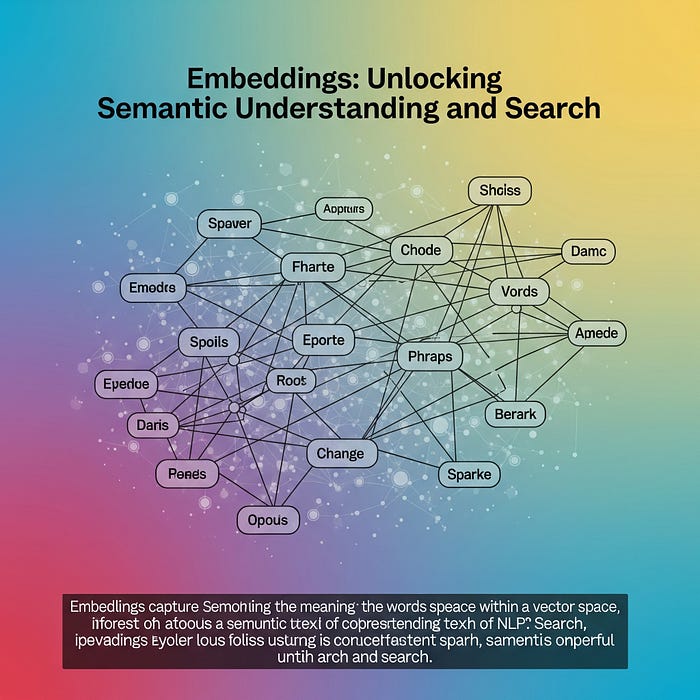
Embeddings are the backbone of how OpenAI truly understands your uploaded files beyond mere keyword matching.
- What are Embeddings? An embedding is a numerical vector (a list of numbers) that represents the semantic meaning of a piece of text. The crucial aspect is that the “distance” between two embeddings in this multi-dimensional space correlates with the semantic similarity between the original texts. If two documents are about similar topics, their embeddings will be “closer” together.
- Automatic Generation: When files are uploaded, especially for use with the Assistants API’s “File Search” tool, OpenAI automatically generates these embeddings. This process is seamless and typically happens in the background.
- Powering Semantic Search: These embeddings are vital for powerful retrieval-augmented generation (RAG) systems. When a user asks a question, the user’s query is also converted into an embedding. OpenAI then uses vector similarity search to find the most relevant chunks of information from the stored files based on the semantic similarity of their embeddings. This means the AI finds answers even if the exact keywords aren’t present, but the meaning is similar.
- Beyond Search: Embeddings also enable other advanced functionalities, such as the following:
- Content Recommendation: Suggesting related documents.
- Clustering: Grouping similar documents together.
- Anomaly Detection: Identifying outliers in a dataset.
How it works:
- Input Text: You send a piece of text (word, phrase, sentence, or document) to the embedding endpoint.
- Model Processing: The embedding model processes the text and converts it into a high-dimensional vector (an array of numbers). Texts with similar meanings will have vectors that are “closer” in this multi-dimensional space.
- Output: The API returns the vector embedding.
require 'openai'
require 'matrix' # For vector operations like dot product and norm

client = OpenAI::Client.new(access_token: ENV.fetch("OPENAI_API_KEY"))

text1 = "The quick brown fox jumps over the lazy dog."
text2 = "A agile canine leaps over a lethargic hound."
text3 = "The sky is blue and the grass is green."

def get_embedding(client, text)
  response = client.embeddings(
    parameters: {
      model: "text-embedding-3-small", # A good, cost-effective embedding model
      input: text
    }
  )
  response.dig("data", 0, "embedding")
rescue OpenAI::APIError => e
  puts "Error getting embedding: #{e.message}"
  nil
end

# Function to calculate cosine similarity between two vectors
def cosine_similarity(vec1, vec2)
  return 0 if vec1.nil? || vec2.nil? || vec1.empty? || vec2.empty?

  v1 = Vector.elements(vec1)
  v2 = Vector.elements(vec2)

  dot_product = v1.dot(v2)
  magnitude_product = v1.norm * v2.norm

  return 0 if magnitude_product == 0 # Avoid division by zero
  dot_product / magnitude_product
end

# Generate embeddings
embedding1 = get_embedding(client, text1)
embedding2 = get_embedding(client, text2)
embedding3 = get_embedding(client, text3)

# Calculate similarities
similarity_1_2 = cosine_similarity(embedding1, embedding2)
similarity_1_3 = cosine_similarity(embedding1, embedding3)

puts "Similarity between '#{text1}' and '#{text2}': #{similarity_1_2.round(4)}"
puts "Similarity between '#{text1}' and '#{text3}': #{similarity_1_3.round(4)}"

# Expected output:
# Similarity between 'The quick brown fox jumps over the lazy dog.' and 'A agile canine leaps over a lethargic hound.': (high similarity, e.g., > 0.8)
# Similarity between 'The quick brown fox jumps over the lazy dog.' and 'The sky is blue and the grass is green.': (low similarity, e.g., < 0.3)
Scenario: A Legal Document Assistant for Contract Review
Imagine you’re a legal professional, who frequently reviews contracts. You would want an AI assistant that can:
- Store and “understand” your legal contracts: First upload your contracts (e.g., in
.txtformat for simplicity in this example, but it could be.pdfin a real app). - Summarize key clauses or sections: You want to quickly get a summary of specific parts of a contract.
- Find similar clauses: You want to find if a new clause is similar to existing clauses in your document library.
Prerequisites:
OpenAI API Key: Set it as an environment variable:
export OPENAI_API_KEY='your_api_key_here' and add gem 'ruby-openai'
Example: contracts/lease_agreement.txt
LEASE AGREEMENT

This Lease Agreement ("Agreement") is made and entered into on this 15th day of June, 2025, by and between:

LANDLORD: John Doe, residing at 123 Main Street, Anytown, USA
TENANT: Jane Smith, residing at 456 Oak Avenue, Othertown, USA

1. PREMISES: The Landlord hereby leases to the Tenant, and the Tenant hereby leases from the Landlord, the real property located at 789 Pine Lane, Anytown, USA (the "Premises").

2. TERM: The term of this Agreement shall commence on July 1, 2025, and shall continue for a period of twelve (12) months, ending on June 30, 2026.

3. RENT: The Tenant shall pay to the Landlord monthly rent in the amount of Two Thousand Five Hundred Dollars ($2,500.00), due on the first day of each month.

4. LATE PAYMENT: If rent is not paid within five (5) days after its due date, a late fee of One Hundred Dollars ($100.00) shall be assessed.

5. UTILITIES: Tenant shall be responsible for all utility services and charges incurred at the Premises during the term of this Agreement.

6. MAINTENANCE: Tenant shall maintain the Premises in a clean, safe, and sanitary condition. Landlord shall be responsible for structural repairs.

7. GOVERNING LAW: This Agreement shall be governed by and construed in accordance with the laws of the State of Anystate, USA.

IN WITNESS WHEREOF, the parties have executed this Agreement as of the date first above written.
Example: contracts/nda_agreement.txt
NON-DISCLOSURE AGREEMENT (NDA)

This Non-Disclosure Agreement (the "Agreement") is made effective as of June 1, 2025, by and between:

PARTY A: Tech Innovators Inc., a corporation with its principal place of business at 100 Innovation Drive, Techville, USA
PARTY B: Global Consultants LLC, a limited liability company with its principal place of business at 200 Business Way, Global City, USA

WHEREAS, Party A possesses certain confidential and proprietary information relating to its upcoming product launch (the "Confidential Information"); and

WHEREAS, Party B has been engaged to provide consulting services to Party A, and in connection therewith, Party B may be exposed to such Confidential Information.

NOW, THEREFORE, in consideration of the mutual covenants and agreements contained herein, the parties agree as follows:

1. DEFINITION OF CONFIDENTIAL INFORMATION: "Confidential Information" shall include, but not be limited to, any information disclosed by Party A to Party B, directly or indirectly, in writing, orally, or by inspection of tangible objects, which is designated as confidential or which, under the circumstances of disclosure, ought to be treated as confidential. This includes, without limitation, technical and business information relating to proprietary ideas, products, services, research and development, production, design, specifications, as well as financial and marketing information.

2. NON-USE AND NON-DISCLOSURE: Party B agrees to use the Confidential Information solely for the purpose of providing consulting services to Party A and not for any other purpose. Party B further agrees not to disclose, disseminate, or otherwise make available the Confidential Information to any third party without the prior written consent of Party A.

3. EXCEPTIONS TO CONFIDENTIAL INFORMATION: Confidential Information shall not include information that: (a) is or becomes publicly known through no fault of Party B; (b) is lawfully received by Party B from a third party without restriction; (c) is independently developed by Party B without use of or reference to the Confidential Information; or (d) is required to be disclosed by law or court order, provided Party B gives prompt notice to Party A.

4. TERM: This Agreement shall remain in effect for a period of five (5) years from the effective date.

5. GOVERNING LAW: This Agreement shall be governed by and construed in accordance with the laws of the State of Delaware, USA.
Now the code …
require 'openai'
require 'fileutils'
require 'json'
require 'matrix' # For vector operations

class LegalAssistant
  attr_reader :client, :assistant_id, :vector_store_id

  def initialize(api_key)
    @client = OpenAI::Client.new(access_token: api_key)
    @assistant_id = nil
    @vector_store_id = nil
  end

  # --- Assistant Management ---

  def create_or_load_assistant(name = "Contract Review Assistant", instructions = "You are a helpful legal assistant specializing in contract review. Answer questions based on the provided documents and summarize clauses when asked.")
    # Try to load existing assistant/vector store IDs from a config file
    config = load_config

    if config[:assistant_id] && config[:vector_store_id]
      puts "Loading existing assistant (ID: #{config[:assistant_id]}) and vector store (ID: #{config[:vector_store_id]})."
      @assistant_id = config[:assistant_id]
      @vector_store_id = config[:vector_store_id]
      # You might want to add a check here to ensure they still exist on OpenAI's side
    else
      puts "Creating new assistant and vector store..."
      # Create vector store first
      vector_store_response = @client.vector_stores.create(
        parameters: { name: "#{name} Documents" }
      )
      @vector_store_id = vector_store_response["id"]
      puts "Vector Store created: #{@vector_store_id}"

      # Create assistant with file_search tool and link to vector store
      assistant_response = @client.assistants.create(
        parameters: {
          name: name,
          instructions: instructions,
          model: "gpt-4o", # GPT-4o is excellent for these tasks
          tools: [{ type: "file_search" }],
          tool_resources: {
            file_search: {
              vector_stores: [{ id: @vector_store_id }]
            }
          }
        }
      )
      @assistant_id = assistant_response["id"]
      puts "Assistant created: #{@assistant_id}"

      save_config(@assistant_id, @vector_store_id)
    end
  rescue OpenAI::APIError => e
    puts "Error creating/loading assistant: #{e.message}"
    exit
  end

  def load_config
    if File.exist?('assistant_config.json')
      JSON.parse(File.read('assistant_config.json'), symbolize_names: true)
    else
      {}
    end
  end

  def save_config(assistant_id, vector_store_id)
    config = { assistant_id: assistant_id, vector_store_id: vector_store_id }
    File.write('assistant_config.json', JSON.pretty_generate(config))
    puts "Assistant and Vector Store IDs saved to assistant_config.json"
  end

  # --- File Management (for Assistants) ---

  def upload_contracts(directory = 'contracts')
    unless @vector_store_id
      puts "Error: Vector store not initialized. Please create/load assistant first."
      return
    end

    Dir.glob(File.join(directory, '*.txt')).each do |file_path|
      puts "Uploading #{File.basename(file_path)}..."
      begin
        file_response = @client.files.create(
          file: File.open(file_path, "rb"),
          purpose: "assistants"
        )
        file_id = file_response["id"]
        puts "Uploaded #{File.basename(file_path)} with ID: #{file_id}"

        # Add file to vector store
        @client.vector_stores.files.create(
          vector_store_id: @vector_store_id,
          parameters: { file_id: file_id }
        )
        puts "Added #{File.basename(file_path)} to vector store."
        sleep(1) # Be mindful of rate limits
      rescue OpenAI::APIError => e
        puts "Error uploading #{File.basename(file_path)}: #{e.message}"
      end
    end
    puts "All specified contracts uploaded and added to the vector store."
    puts "OpenAI might take some time to process files in the vector store."
  end

  # --- Interaction with Assistant (Summarization & Q&A) ---

  def chat_with_assistant(query)
    unless @assistant_id
      puts "Error: Assistant not initialized. Please create/load assistant first."
      return
    end

    puts "\n--- Asking Assistant: #{query} ---"
    begin
      thread = @client.threads.create
      thread_id = thread["id"]
      puts "Created new thread: #{thread_id}"

      # Add user message
      @client.messages.create(
        thread_id: thread_id,
        parameters: { role: "user", content: query }
      )

      # Run the assistant
      run = @client.runs.create(
        thread_id: thread_id,
        parameters: { assistant_id: @assistant_id }
      )

      # Poll for run completion
      loop do
        run = @client.runs.retrieve(thread_id: thread_id, id: run["id"])
        puts "Assistant status: #{run["status"]}..."
        break if ["completed", "failed", "cancelled", "expired"].include?(run["status"])
        sleep(2) # Wait a bit before checking again
      end

      if run["status"] == "completed"
        messages = @client.messages.list(thread_id: thread_id, order: "asc")
        assistant_reply = messages.dig("data", -1, "content", 0, "text", "value")
        puts "\nAssistant Reply:\n#{assistant_reply}"
      else
        puts "Assistant run did not complete successfully. Status: #{run["status"]}"
      end
    rescue OpenAI::APIError => e
      puts "Error interacting with assistant: #{e.message}"
    end
  end

  # --- Embeddings for Custom Similarity Search ---

  def get_embedding(text)
    begin
      response = @client.embeddings(
        parameters: {
          model: "text-embedding-3-small", # Good balance of cost and performance
          input: text
        }
      )
      response.dig("data", 0, "embedding")
    rescue OpenAI::APIError => e
      puts "Error getting embedding: #{e.message}"
      nil
    end
  end

  def cosine_similarity(vec1, vec2)
    return 0 if vec1.nil? || vec2.nil? || vec1.empty? || vec2.empty?

    v1 = Vector.elements(vec1)
    v2 = Vector.elements(vec2)

    dot_product = v1.dot(v2)
    magnitude_product = v1.norm * v2.norm

    return 0 if magnitude_product == 0
    dot_product / magnitude_product
  end

  def find_similar_clauses_in_files(new_clause, directory = 'contracts')
    puts "\n--- Finding Similar Clauses ---"
    new_clause_embedding = get_embedding(new_clause)
    unless new_clause_embedding
      puts "Could not get embedding for the new clause."
      return
    end

    file_clause_embeddings = []

    Dir.glob(File.join(directory, '*.txt')).each do |file_path|
      file_content = File.read(file_path)
      # For simplicity, let's just get embeddings for chunks of the document.
      # In a real app, you'd parse clauses or paragraphs more intelligently.
      chunks = file_content.split(/\n\n+/).reject(&:empty?) # Split by double newlines

      chunks.each_with_index do |chunk, i|
        chunk_embedding = get_embedding(chunk)
        if chunk_embedding
          file_clause_embeddings << {
            file: File.basename(file_path),
            chunk_number: i + 1,
            text: chunk,
            embedding: chunk_embedding
          }
        end
      end
    end

    puts "Comparing new clause with document chunks..."
    similarities = []
    file_clause_embeddings.each do |fc|
      similarity = cosine_similarity(new_clause_embedding, fc[:embedding])
      similarities << {
        file: fc[:file],
        chunk_number: fc[:chunk_number],
        text: fc[:text],
        similarity: similarity
      }
    end

    # Sort by similarity, descending
    sorted_similarities = similarities.sort_by { |s| -s[:similarity] }

    puts "Top 3 most similar clauses:"
    sorted_similarities.first(3).each do |s|
      puts "  File: #{s[:file]}, Chunk ##{s[:chunk_number]} (Similarity: #{s[:similarity].round(4)})"
      puts "  Text: #{s[:text].split("\n").first(2).join("\n")}..." # Show first two lines
      puts "  --------------------"
    end
  end

  # Clean up assistant and vector store (optional, for development/testing)
  def cleanup_resources
    if @assistant_id
      puts "Deleting assistant #{@assistant_id}..."
      @client.assistants.delete(id: @assistant_id) rescue nil
    end
    if @vector_store_id
      puts "Deleting vector store #{@vector_store_id}..."
      @client.vector_stores.delete(id: @vector_store_id) rescue nil
    end
    File.delete('assistant_config.json') if File.exist?('assistant_config.json')
    puts "Cleaned up resources and config file."
  end
end

# --- Main Execution ---

api_key = ENV.fetch("OPENAI_API_KEY")
assistant = LegalAssistant.new(api_key)

# 1. Setup the Assistant and upload contracts
puts "Step 1: Setting up Assistant and uploading contracts..."
assistant.create_or_load_assistant # This will create or load if config exists
assistant.upload_contracts('contracts')

# Allow some time for OpenAI to process files in the vector store
puts "Waiting 10 seconds for OpenAI to process files... (This might take longer for large files)"
sleep(10)

# 2. Use the Assistant for Summarization/Q&A
puts "\nStep 2: Asking the Assistant to summarize a key clause."
assistant.chat_with_assistant("Summarize the 'RENT' clause from the lease agreement document. What is the late payment policy?")

puts "\nStep 3: Asking the Assistant a general question about the NDA."
assistant.chat_with_assistant("What are the exceptions to confidential information as defined in the NDA document?")

# 3. Use Embeddings for custom similarity search (e.g., comparing a new clause)
puts "\nStep 4: Using Embeddings to find similar clauses."
new_potential_clause = "The Tenant shall pay to the Landlord an amount of two thousand six hundred dollars ($2600) on the 5th day of each month."
assistant.find_similar_clauses_in_files(new_potential_clause, 'contracts')

new_nda_clause = "Information is not confidential if it is already known to the public through no fault of the receiving party."
assistant.find_similar_clauses_in_files(new_nda_clause, 'contracts')


# Optional: Clean up resources after testing
# puts "\n--- Cleaning up resources (uncomment to enable) ---"
# assistant.cleanup_resources
How This Code Addresses the Scenario:
File Storage (for Assistants):
- The
upload_contractsmethod iterates through files in thecontractsdirectory. - It uses
client.files.createwithpurpose: "assistants"to upload the raw text files to OpenAI's file storage. - Crucially, it then uses
client.vector_stores.files.createto add these uploaded files to a Vector Store associated with our Assistant. This is where OpenAI does the heavy lifting of chunking the documents, creating embeddings for those chunks, and building an index for efficient retrieval. - The
assistant_config.jsonfile is used to persist the Assistant ID and Vector Store ID, so you don't recreate them every time you run the script.
Summarization (via Assistant):
- The
chat_with_assistantmethod demonstrates how to interact with the Assistant. - When you ask a question like “Summarize the ‘RENT’ clause…”, the Assistant’s
file_searchtool is triggered. - OpenAI’s internal RAG (Retrieval-Augmented Generation) process kicks in.
- It identifies relevant chunks from the uploaded documents (using the embeddings in the vector store).
- It then feeds these relevant chunks along with your query to the language model (e.g., GPT-4o) to generate a coherent summary/answer.
- This is the most powerful way to summarize stored documents with OpenAI, as it’s contextualized by the actual document content.
Embeddings (for Custom Similarity):
- The
get_embeddingmethod directly callsclient.embeddingsto get a vector representation of a given text. This is a general-purpose way to use embeddings for tasks outside the Assistant's direct retrieval. - The
cosine_similaritymethod (a common metric for vector similarity) calculates how semantically close two text segments are. - The
find_similar_clauses_in_filesmethod simulates a "find similar" feature: - It takes a
new_clause(which might be from a new contract you're drafting). - It gets an embedding for this new clause.
- It then iterates through all local contract files, splits them into basic chunks, gets embeddings for each chunk, and compares them to the
new_clauseembedding using cosine similarity. - This shows how you can build your own semantic search or similarity comparison features using OpenAI’s embedding models, potentially on data you manage locally or in your own vector database.
Conclusion
OpenAI’s approach to handling files — from secure storage in vector stores to intelligent summarization and the crucial generation of embeddings — represents a significant leap in how AI interacts with and derives insights from human-generated data. These capabilities empower developers and users to build more intelligent applications, automate information processing, and unlock the hidden knowledge within vast archives of documents, ultimately making AI a more powerful and accessible tool for understanding our world.